
First you create your own account, then your shop with its first location. You don't need anyone's help.
Steps
Go to coupehub.nl/en/signup.
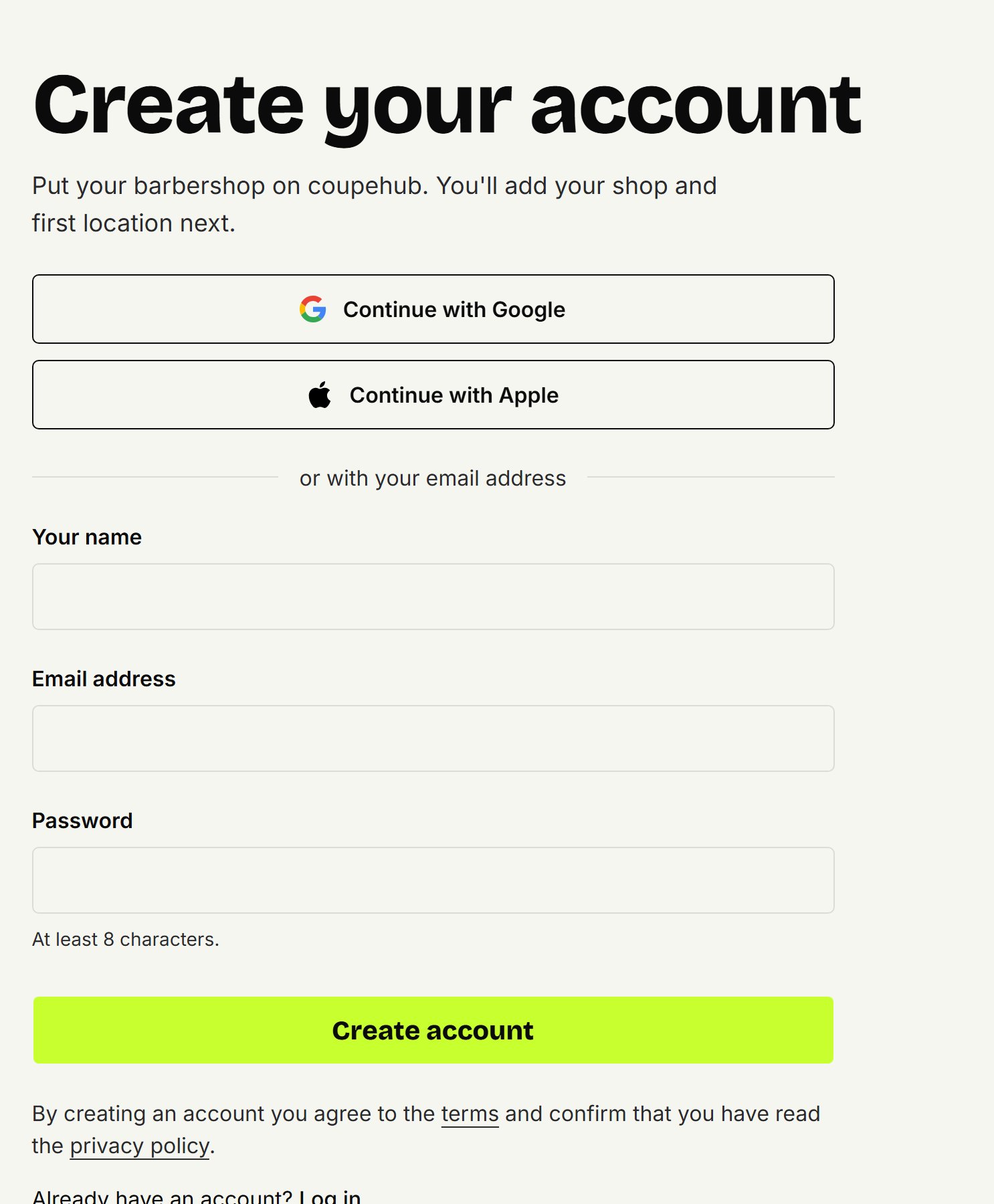
Choose Continue with Google, or fill in Your name, Email address and a Password of at least 8 characters, and click Create account.
If you signed up with your email address, you get an email. Click Confirm email address in it, on your phone or your computer. The screen you signed up on then logs you in by itself.
Under Shop name, enter the name customers know it by.
Under Your first location, enter the location's name, country and address. The neighbourhood or street works well as a name; you can add more locations later.
Read the data processing agreement and tick the box below it.
Click Create shop. Then you set up your shop, see Setting up your shop.
Your shop outside the Netherlands
coupehub is for shops in every euro country: the Netherlands, Austria, Belgium, Bulgaria, Croatia, Cyprus, Estonia, Finland, France, Germany, Greece, Ireland, Italy, Latvia, Lithuania, Luxembourg, Malta, Portugal, Slovakia, Slovenia and Spain. Choose your location's Country and write the postcode the way that country does. The Canary Islands, Ceuta, Melilla, the French overseas departments and Mount Athos are outside the EU's VAT area; they can't sign up yet.
Your shop keeps the time of its first location: in Lisbon, Helsinki or on the Azores you see the agenda, the booking times and the reminders in the time there, also on a phone set to another time.
With Google
With Continue with Google you choose your Google account. You don't make up a password or confirm an email: you go straight on to your shop. From then on you log in with Continue with Google too.
The data processing agreement
You're responsible for your customers' data; coupehub processes it for you. That's what the data processing agreement covers. You accept it on behalf of your shop, and without the tick you can't create a shop. Privacy and your data shows where to see when you accepted it.
No email?
Check your spam folder. The link is valid for 1 hour. If you log in before your address is confirmed, we send you a new one. If you already have an account with this address, you get an email asking you to log in with that account.
Do you work as a barber at a shop?
Then don't create a shop of your own. The owner invites you by email. Open the link in that email and create your account with the address the invitation was sent to.
Updated on November 17, 2026
Did this help?