
Today shows what your shop brought in, and how that compares with the previous period.
Steps
Open Today. At the top is Revenue so far, with what it was yesterday.
Scroll to Revenue.
Choose Today, This week or This month.
If you have more than one location, choose one, or All locations, under Location.
What you see
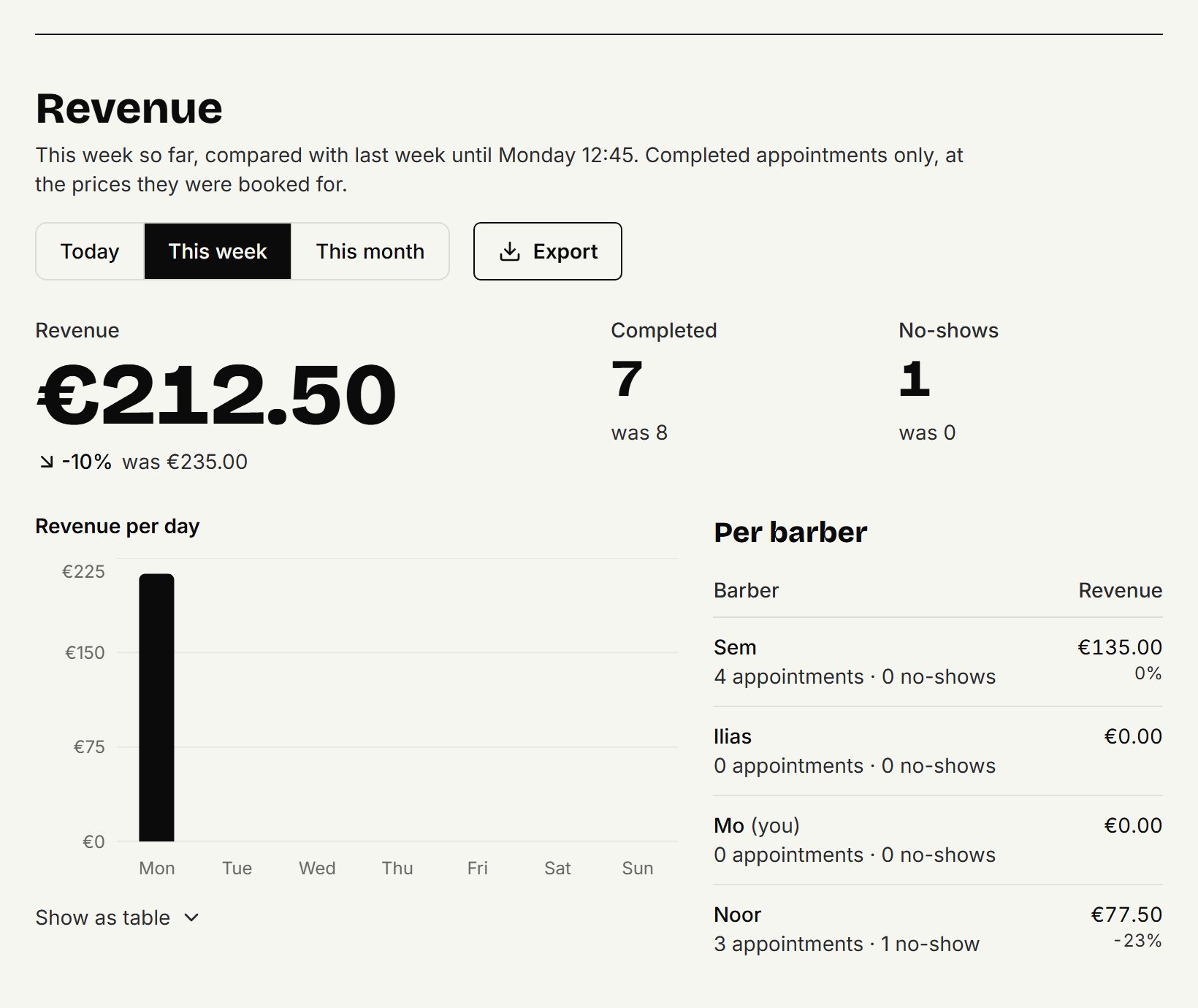
Revenue: what the completed appointments brought in together, and how many percent that is above or below the previous period.
Completed and No-shows: how many appointments, with what it was last time.
For a week or a month: Revenue per day.
Per barber: what each barber brought in.
It always compares up to the same moment: today so far with yesterday until the same time, this week with last week until the same day and time. A week runs from Monday to Sunday.
What counts
Only completed appointments count, at the price they were booked for. An appointment that has passed counts as completed by itself, unless you mark it as a no-show. Booked and cancelled appointments don't count; you do see the no-shows, but they bring in nothing. An appointment paid with a gift card counts at its price as usual.
As a barber
A barber sees Your revenue: only their own completed appointments, without the other barbers or the shop's total.
Updated on November 11, 2026
Did this help?