
Each barber has their own list of treatments. A customer can only book a treatment with a barber who does it, and a barber who doesn't do anything yet isn't on your booking page.
Steps
Open Barbers and click Manage on the barber.
Choose the Treatments tab.
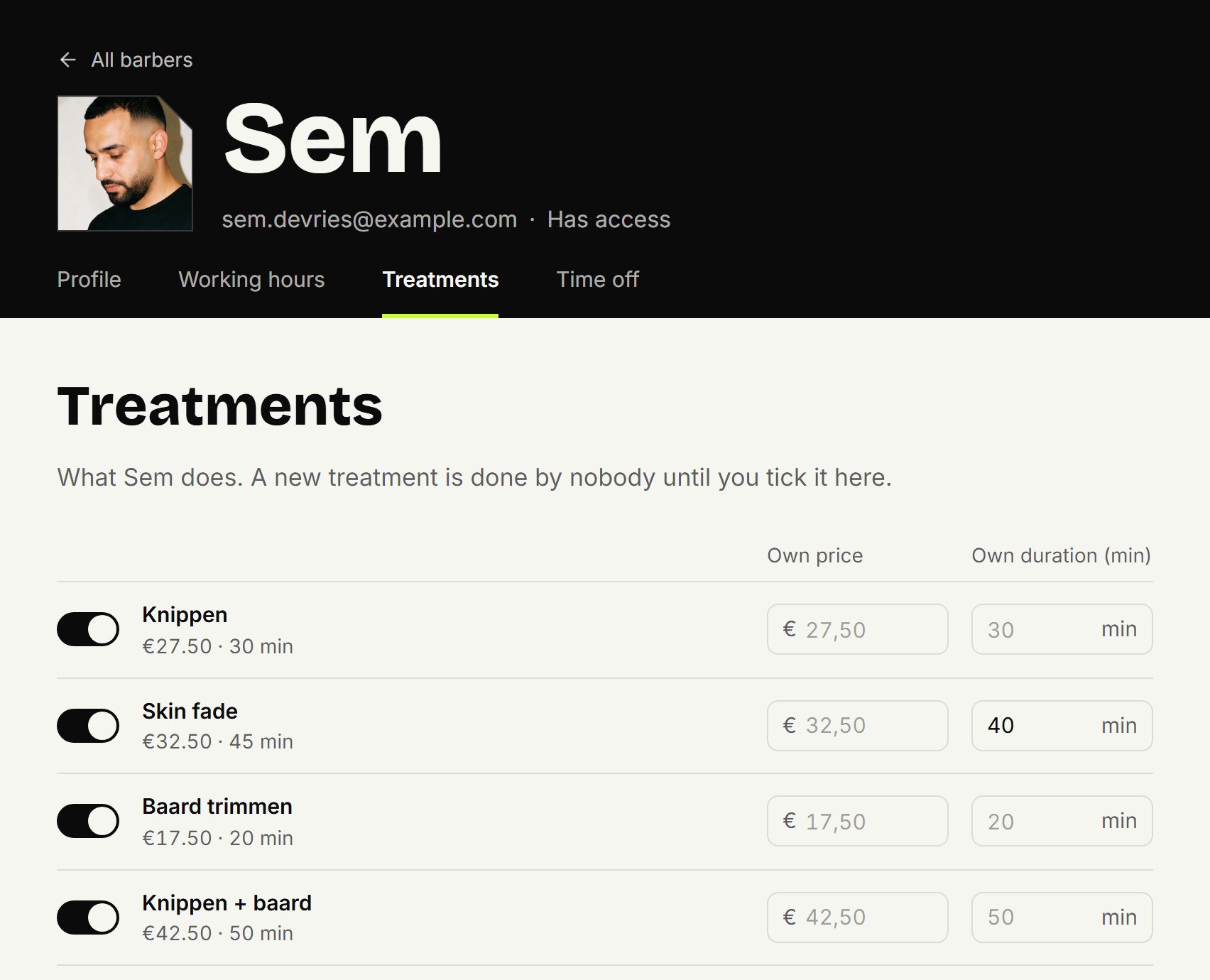
Switch on the treatments this barber does.
Does this barber charge a different price, or take more or less time than the shop? Fill in Own price or Own duration (min). Leave them empty and the shop's price and duration apply.
Click Save.
New treatments and new barbers
Nobody does a treatment you've just added. A barber you add starts without treatments too. Switch them on here, or nobody can book them. Under Treatments you see who does each treatment; if it says Nobody yet, it can't be booked yet.
What the customer sees
When a customer picks a barber, they only see that barber's treatments, at that barber's price and duration. With No preference they see every treatment someone at that location does. If the price differs per barber, they see a range, and they only get times of barbers who do everything they chose. The price list on your booking page shows the shop's price.
In the agenda, too, an appointment only offers that barber's treatments.
Updated on November 11, 2026
Did this help?