
Working hours decide when customers can book a barber online. You set them per location, for each day of the week.
Steps
Open Barbers, pick the barber and open Working hours.
Switch on Works here at every location where the barber works.
Switch each working day on and fill in the start and end time. A day that's switched off is a day off.
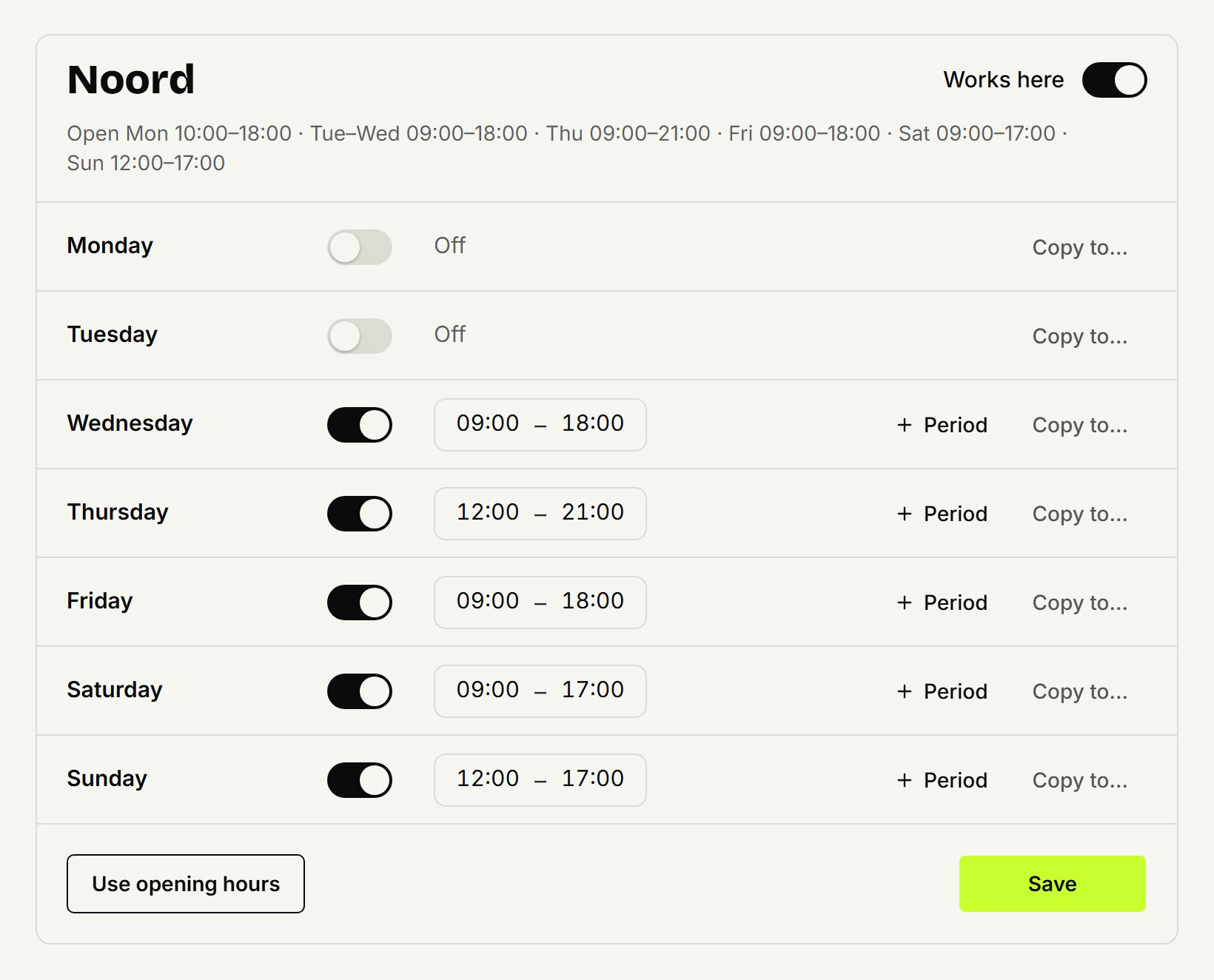
Same times on other days? Click Copy to… on a day, tick the other days and click Copy.
Click Save.
Use opening hours fills the whole week with the location's opening hours in one go. Then change what's different and save.
A break
The time between two periods on a day is a break. Click Period on the day and enter, say, 09:00–12:30 and 13:30–18:00. Nobody can book online between 12:30 and 13:30. A day has at most 4 periods.
Outside opening hours
If working hours fall outside the location's opening hours, you see a warning. You can still save them. Online booking only works when the barber is working and the location is open; an early or late appointment outside that you add to the agenda yourself.
Several locations
Each location has its own week. A barber can't work at two locations at the same time: you see a message and saving doesn't go through. Switch off Works here and the working hours at that location are deleted.
Only the owner sets working hours, their own included. Barbers do see them in the agenda.
Updated on November 11, 2026
Did this help?