
coupehub tells you what happens in your agenda: by email when a customer books, moves or cancels online, and with push notifications in the coupehub app on your phone. Everyone in the shop chooses what they get.
Steps
As the owner, open Settings, then Notifications. As a barber, open Notifications in the menu.
Switch each notification on or off with the switch in front of it.
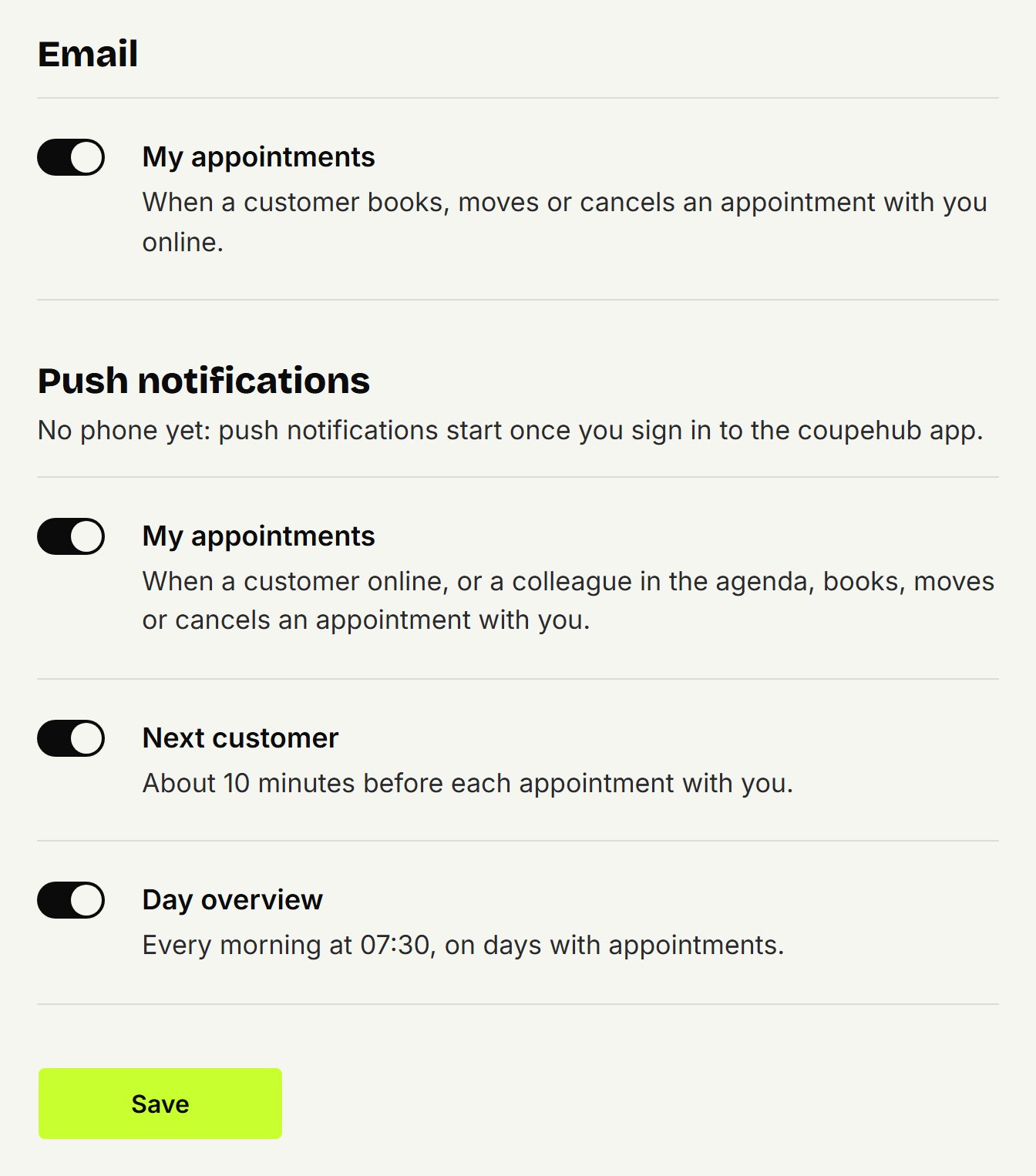
Click Save.
Emails
The emails go to the address you sign in with.
My appointments: when a customer books, moves or cancels an appointment with you online. On unless you change it, for everyone who cuts in the shop.
Every online booking at the shop: the same, with every barber. Only for the owner, and off unless you change it.
Weekly overview by email: every Monday morning, the week before: how many appointments there were, how many customers booked online, the new customers, the no-shows and the reminders that went out. Only for the owner, and on unless you change it. You can also switch it off with the link at the bottom of the email. If your shop had no appointments, you get a tip to share your booking link once; after that it stays quiet until there are appointments again.
Changes you make in the agenda yourselves send no email.
Push notifications
Push notifications reach your phone once you sign in to the coupehub app. They're all on unless you change them.
My appointments: when a customer online, or a colleague in the agenda, books, moves or cancels an appointment with you.
Every online booking at the shop: only for the owner.
Next customer: about 10 minutes before each appointment with you.
Day overview: every morning at 07:30, on days with appointments.
Shop alerts: only for the owner, for example when a reminder didn't reach a customer.
What you do in the agenda yourself, we don't tell you.
No push notifications?
If notifications are off for coupehub on your phone, the Notifications screen in the app says so. Tap Open settings and switch them on.
Updated on November 15, 2026
Did this help?