
Every appointment gets one reminder by itself, 24 hours before unless you change it. It names your shop, the day and the time, with a link the customer uses to move or cancel. So nobody forgets their appointment, and a slot that frees up comes back to your agenda in time.
Steps
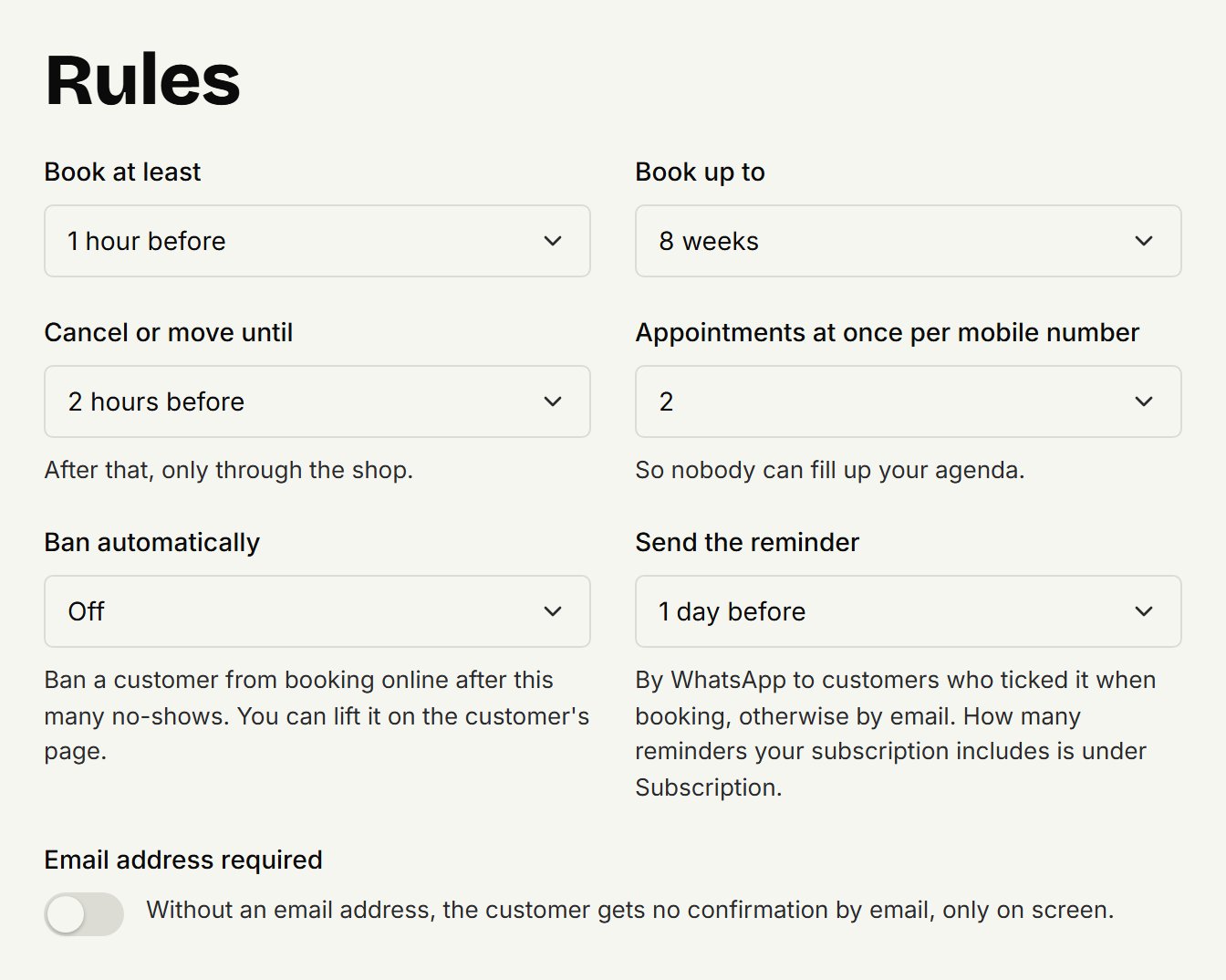
You choose how long before the appointment the reminder goes:
Open Settings, then Online booking.
Under Rules, at Send the reminder, choose how long before the appointment it goes.
Click Save.
WhatsApp, SMS or email
The customer wants WhatsApp. When booking online, a customer can switch on a WhatsApp reminder from your shop. They then get it by WhatsApp. If that doesn't work, say because their number isn't on WhatsApp, the reminder goes by SMS, and otherwise by email.
The customer leaves it off. They get the reminder by email, or by SMS if they gave no email address.
You put the appointment in the agenda yourself. The reminder goes by email too, or by SMS without an email address. WhatsApp only when the customer switched it on while booking.
A number from another country. For now an SMS goes only to Dutch mobile numbers. A customer with a number from another country gets the reminder by WhatsApp if they chose it, and otherwise by email; without an email address they get none.
The reminder is in the language the customer booked in. When you make the appointment yourself, it's in the language the customer last booked online in, or in yours if they've never booked online.
When no reminder goes
For a walk-in without a name: there's no customer to remind.
For a cancelled appointment, and to a banned customer.
In the last hour and a half before the appointment.
When a customer books online after the reminder's moment, say in the evening for the next morning, they don't get one: they've just seen their confirmation. If you add such an appointment yourself, the reminder does go, within a few minutes.
When you or the customer move the appointment, they get a new reminder for the new time.
A reminder that didn't arrive
If a WhatsApp or SMS doesn't arrive and there's no other way to reach the customer, the owner gets a push notification in the coupehub app with their name. Give them a call or a message yourself. Notifications explains which notifications you get.
Updated on November 16, 2026
Did this help?