
coupehub comes in Dutch, English, French, Spanish and German. Your language belongs to your account: each barber picks their own, and the dashboard and the app follow that choice.
Steps
At the bottom of the menu, above your name, click your language. On your phone, tap the globe at the top, next to the logo.
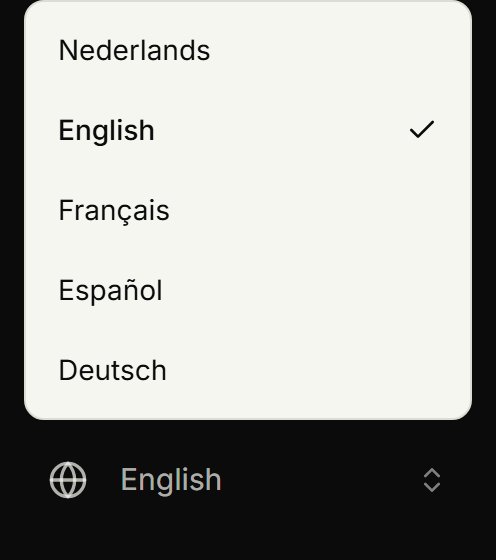
Choose Nederlands, English, Français, Español or Deutsch.
The page switches at once. The emails and notifications coupehub sends you come in that language from then on too.
When you sign up
Your account gets the language of the page you sign up on. On the website and in the app you choose it with the globe at the top; on coupehub.nl/en it's English, on coupehub.nl/fr French, on coupehub.nl/es Spanish and on coupehub.nl/de German. Whoever first opens coupehub.nl with a browser in English, French, Spanish or German lands on the website in that language. The app starts in your phone's language when coupehub speaks it, otherwise in Dutch, and remembers the language you choose at the top.
Your customers
On your booking page, customers choose their language with the globe at the top, and so on their appointment's page.
When the page is in another language than your customer's browser, a bar at the top offers them the page in their own language.
You can also link straight to your booking page in another language: put /en, /fr, /es or /de before /boek in your link, as in coupehub.nl/en/boek/your-shop.
Whoever books online gets their confirmation and reminder in the language they booked in.
An appointment you put in the agenda yourself gets its reminder in the language that customer last booked online in. If they've never booked online, it's in your language.
Updated on November 16, 2026
Did this help?