
The rules decide what customers can do online by themselves. They only apply to online booking: in the agenda you can always add an appointment yourself, even at the last minute.
Steps
Open Settings and choose Online booking.
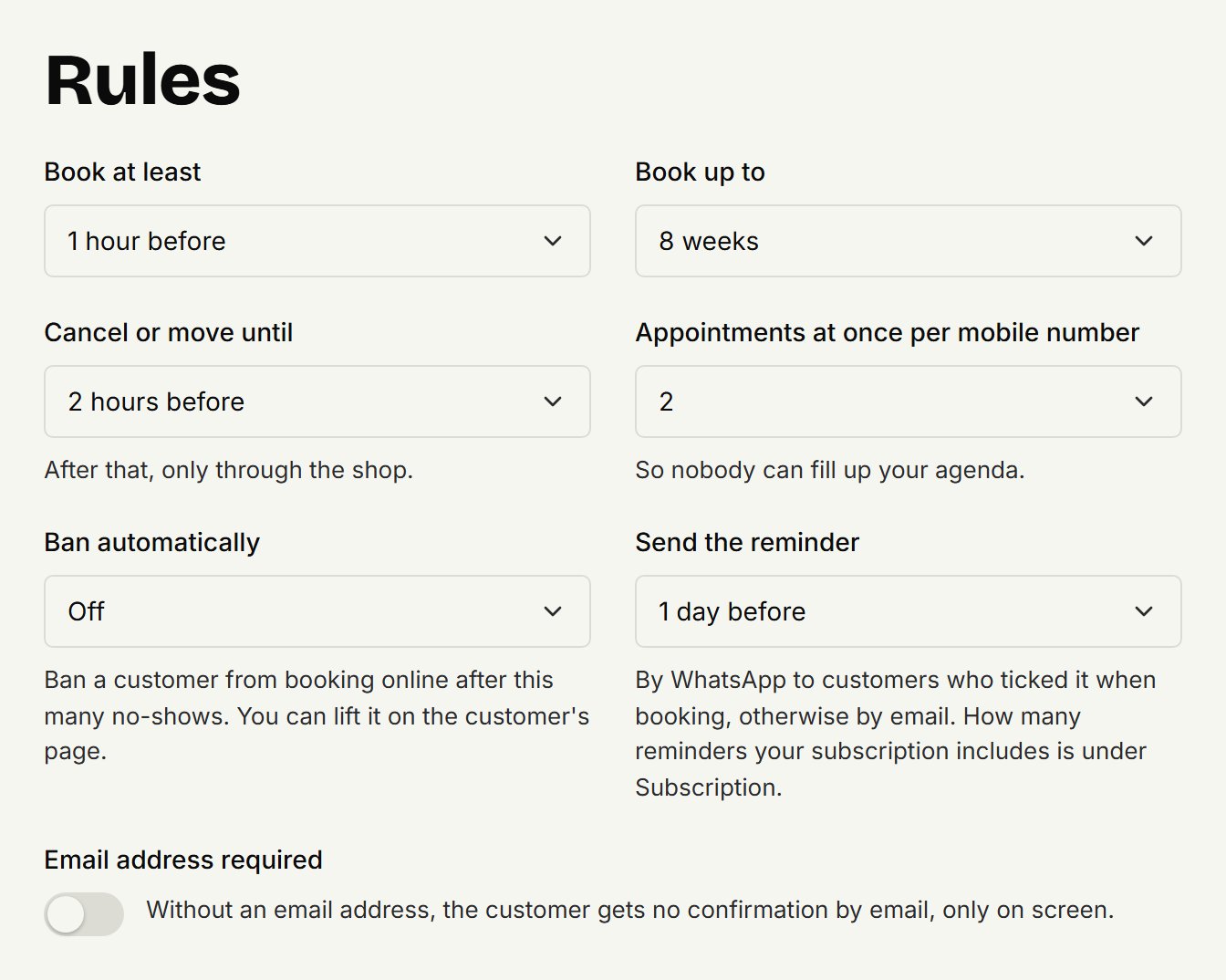
Under Rules, choose what you want for each rule.
Click Save at the bottom.
You don't have to set anything: each rule already has a sensible value.
What each rule does
Book at least: how much time there must be between booking and the appointment, so nobody turns up at the door you weren't expecting.
Book up to: how far ahead customers see times.
Cancel or move until: until how long before the appointment a customer can move or cancel it themselves, with the link in their confirmation. After that, only through you.
Appointments at once per mobile number: how many upcoming appointments one mobile number may hold at once, including those you added in the agenda. When a customer is at the maximum, the page asks them to cancel one or to contact you.
Email address required: a customer must then fill in their email address. Without one, they only get a confirmation on screen.
Ban automatically: bans a customer from booking online after they didn't show up that many times. See Banning a customer.
Send the reminder: how long beforehand the reminder goes out. See Reminders.
Updated on November 11, 2026
Did this help?