
Every customer has a card of their own: how to reach them, what you know about them and all their appointments. A customer is added by their first appointment, whether they booked online or you put it in the agenda, or by an import. All your shop's locations share the same customers.
Steps
Open Customers.
Click the customer. Looking for someone? Type part of their name or number in the search field.
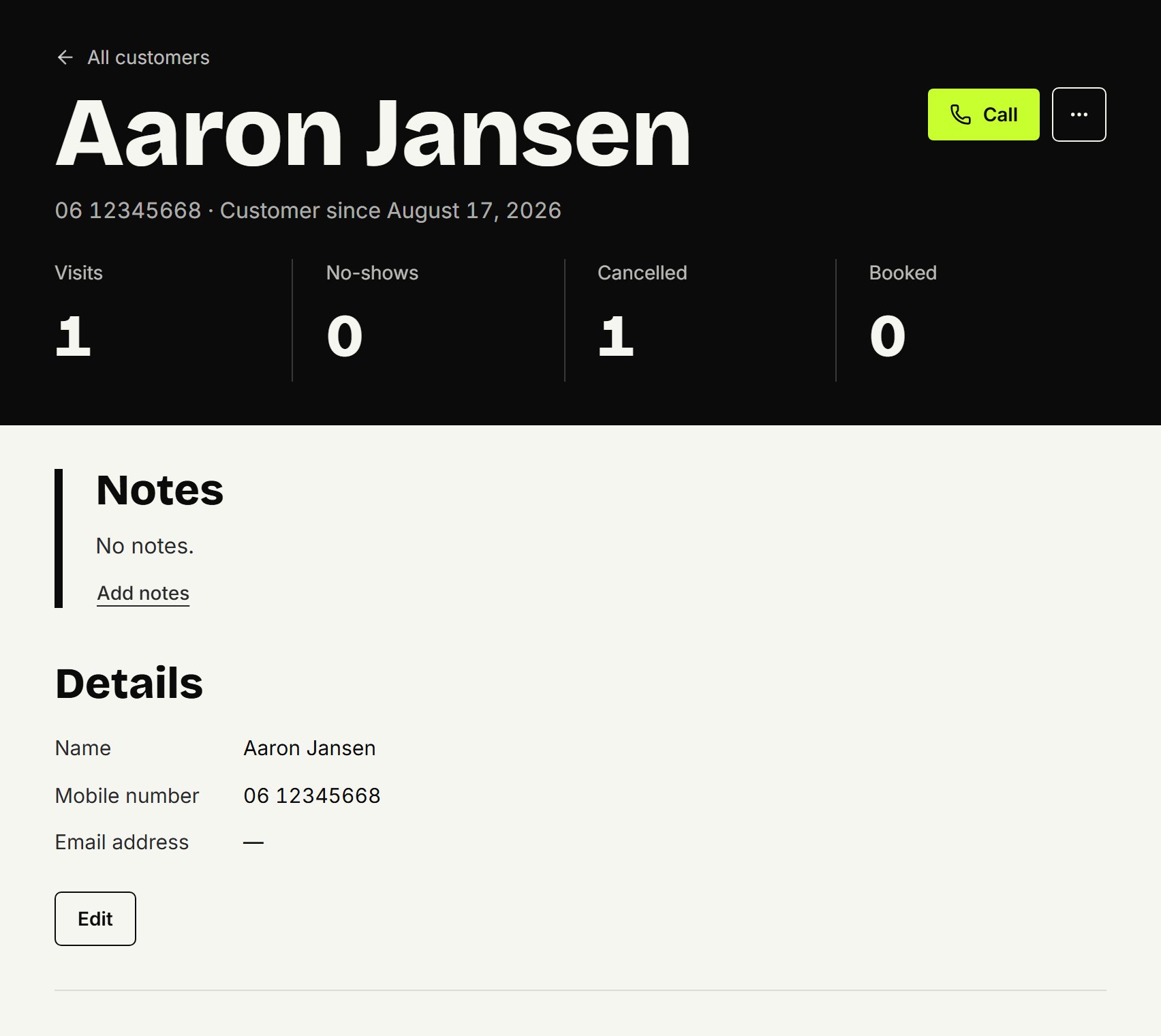
Call them with Call when you're on your phone.
What's on it
At the top, their number, their email address and since when they've been a customer, with their appointments counted: Visits, No-shows, Cancelled and Booked.
Notes: what the shop wants to remember, such as how they like their hair. The customer never sees them; you also see them with their appointment in the agenda.
Details: name, mobile number and email address.
Stamp card: their stamps, if your shop has a stamp card.
Gift cards: their gift cards, if they have one.
Booking online: whether they may book online. See Banning a customer.
Messages: whether they get emails with offers and reminders to book again from your shop, since when, or when they unsubscribed. See Emailing customers.
Appointments: all their appointments, newest first, with the status, the treatments, the barber and the location.
Changing notes or details
The owner does this; barbers see everything but don't change it. Under Notes, click Add notes or Edit, or under Details, click Edit, then Save.
Within your shop, each mobile number belongs to one customer, so you can't enter a number another customer already has.
From the agenda
In the agenda, click an appointment, then Customer card.
Updated on November 12, 2026
Did this help?