
Customers lists all your customers by name, from A to Z. You find someone as you type.
Steps
Open Customers.
Type part of the name or the number in the search field.
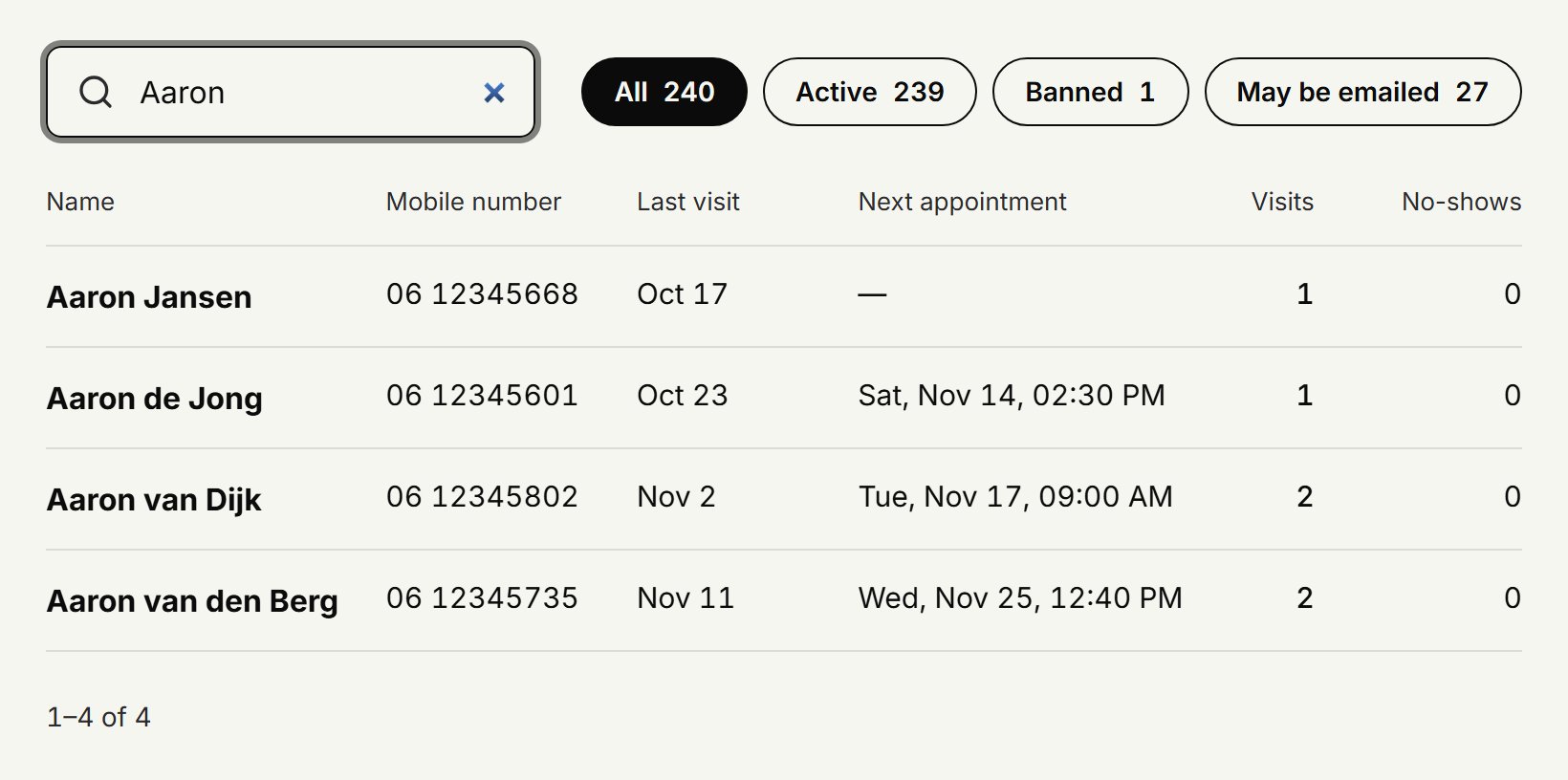
Click the customer to open their customer card.
Searching by name or number
Capitals don't matter, and any part of the name works: a surname finds the customer too. Write a number however you like: with or without spaces, with its leading 0 or its country code, such as 06 or +31. The last four digits are usually enough.
Only active or banned customers
Next to the search field, choose All, Active, Banned or May be emailed, each with how many customers it holds. Active is everyone who may book online; banned is everyone who may not; may be emailed are the customers who want emails with offers. The search works within what you chose. Click the Banned number at the top and you see only the banned customers straight away.
What the list shows
For each customer you see their number, their last visit, their next appointment, how often they came and how often they didn't show. When the list is long, Next and Previous take you through it.
Updated on November 16, 2026
Did this help?