
When a customer comes every few weeks at the same time, you add all their appointments in one go. After that, each appointment in the series is an ordinary appointment.
Steps
Start a new appointment as usual: click a free slot or New appointment. Adding an appointment or walk-in explains how.
Pick the barber, the start time, the treatments and the customer.
Turn on Repeat.
Under Every, choose how many weeks apart (1 to 8), and next to it how many times in total (2 to 26).
Check the list of dates. Each date says Free, Already taken: skipped or Barber away: skipped.
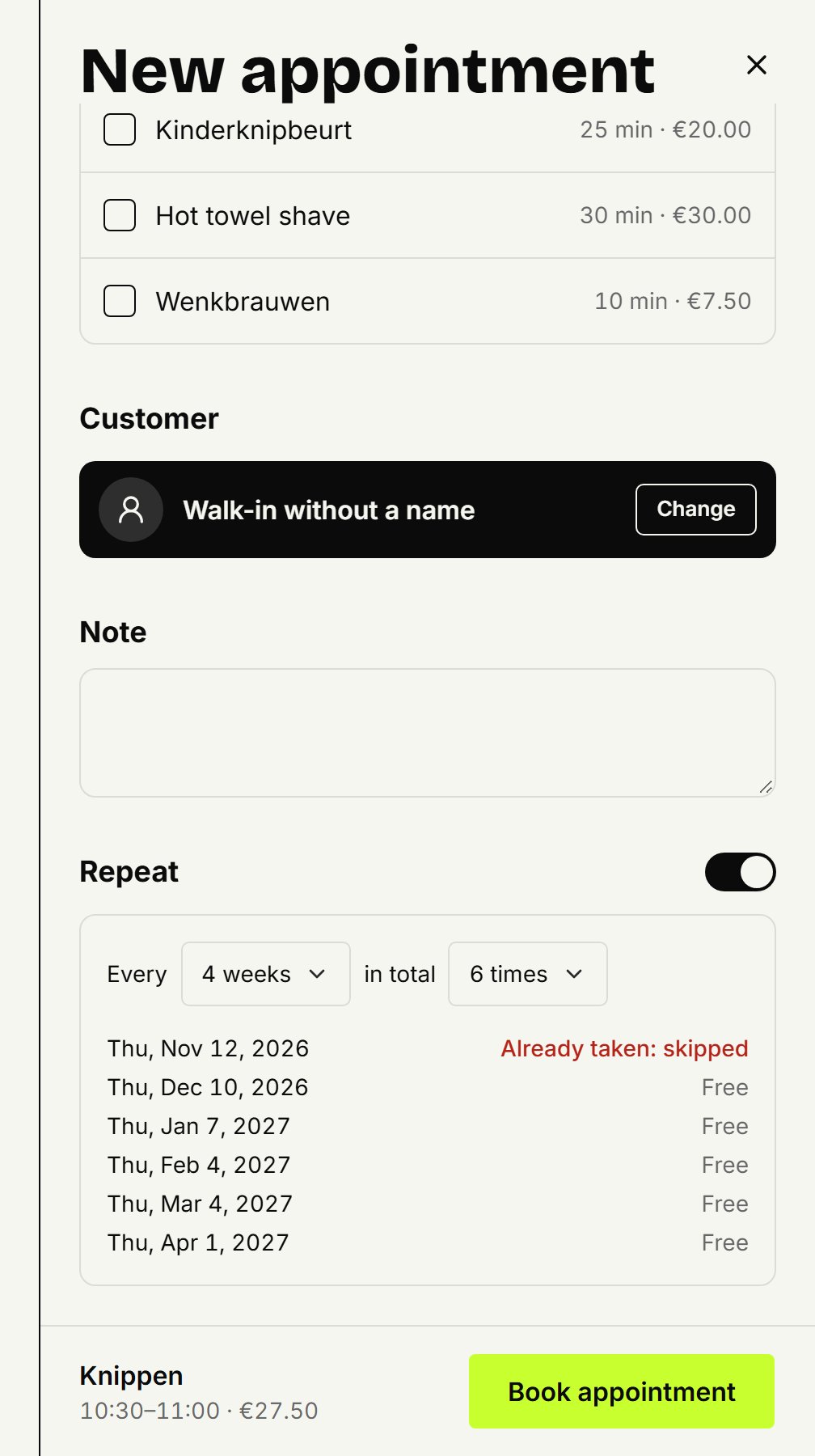
Click Book appointment.
Each appointment falls on the same weekday and time, with the same barber and the same treatments. A date that was taken, or when the barber is away, is skipped, and after saving you see which ones.
Changing one appointment in the series
Move, change or cancel it like any other appointment: the rest of the series stays. See Moving, changing or cancelling an appointment. Reminders go out for each appointment just as for a single one.
Ending a series
The customer stops coming? Open an appointment from the series. Under Series, click Cancel this and later ones: that appointment and every later one in the series that's still booked are cancelled. To move the whole series to another time, cancel the rest and add a new series.
You can only repeat a new appointment, not one you're changing.
Updated on November 11, 2026
Did this help?