
With the code from coupehub, booking itself sits on your Google Sites website: customers pick a time there, without leaving your site. In Google Sites you paste the code through Embed. There is more about the code under booking on your own website.
Steps
In coupehub, open Settings and choose Online booking.
Scroll to Booking on your own website and click Copy code.
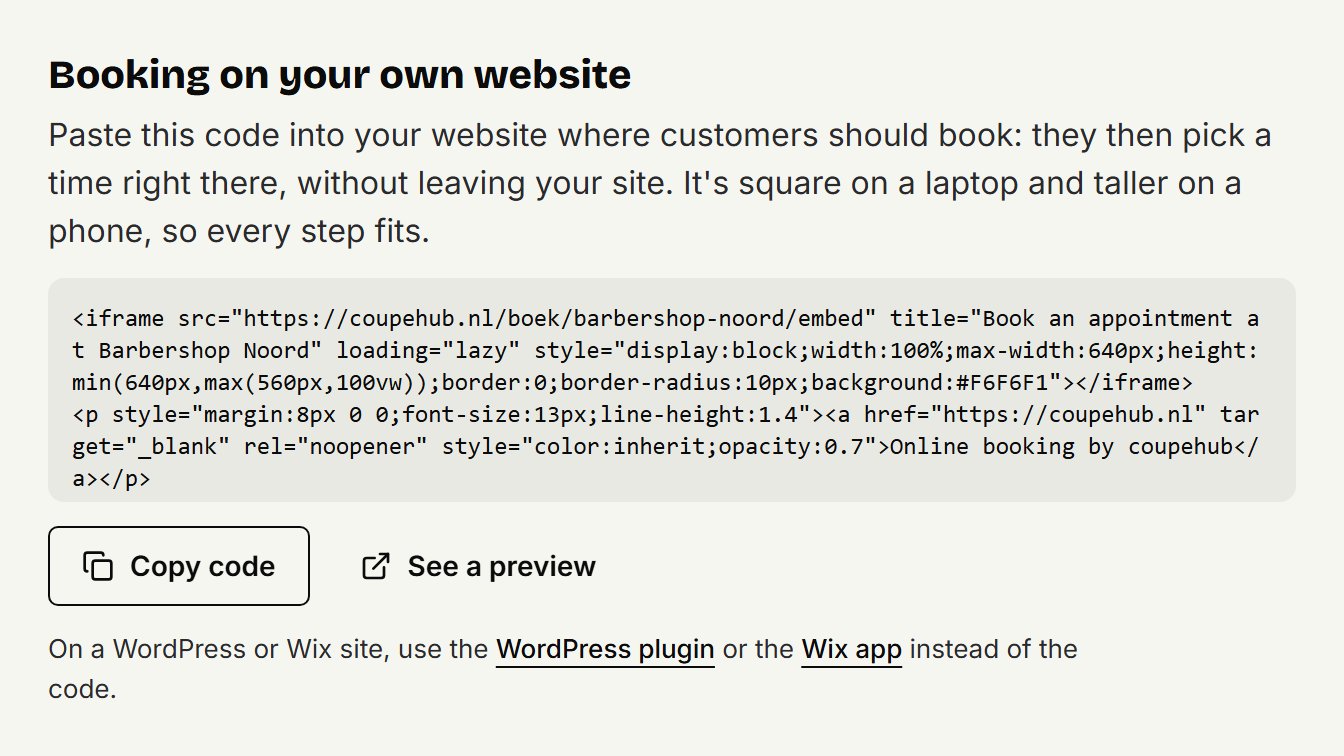
Open your site in Google Sites on a computer and go to the page where customers should book.
On the right, click Insert, then Embed.
Choose Embed code, paste the code and click Next. Then click Insert.
Click the block and drag one of the dots on its edge until the booking fits in it completely, with the line below it. If you see a scroll bar, the block is still too small: the booking is up to 640 pixels wide and high.
At the top right, click Publish.
Then look at your page on your phone too, and check that the whole booking shows properly.
Doesn't it work?
Then put a button on your page that goes to your booking link: on the right, click Insert, then Button, give the button a name and paste your booking link. See sharing your booking link for where to find it.
Updated on November 11, 2026
Did this help?