
With the code from coupehub, booking itself sits on your Squarespace website: customers pick a time there, without leaving your site. In Squarespace you paste the code into a code block. There is more about the code under booking on your own website.
Steps
In coupehub, open Settings and choose Online booking.
Scroll to Booking on your own website and click Copy code.
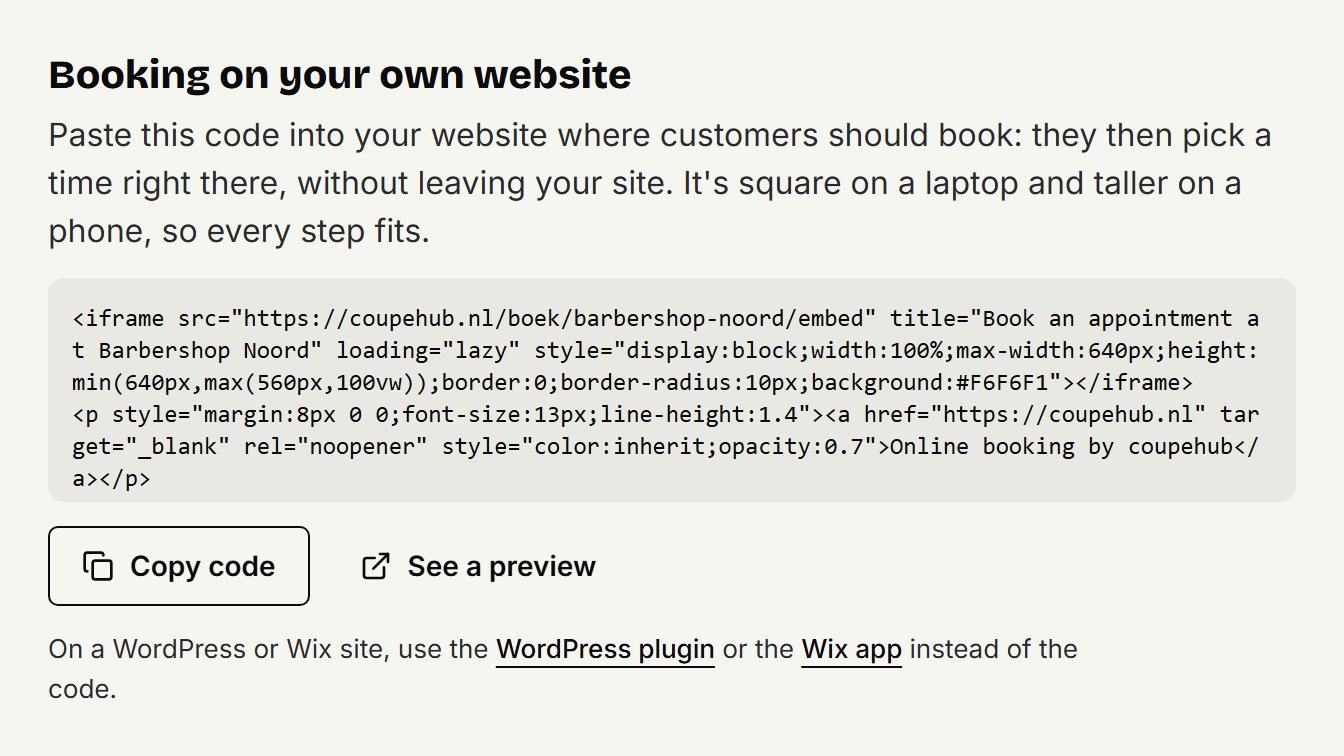
In Squarespace, open the page where customers should book and click Edit.
Hover over the section, click Add block or + and choose Code.
Click the pencil icon on the block and paste the code into the text field. Set Mode to HTML and leave Display Source off.
Drag the squares on the block's outline until it's wide enough: the booking is up to 640 pixels wide.
Click Save, or Exit and then Save.
On a phone
Squarespace sizes blocks for phones separately: what you drag on the computer doesn't change the mobile layout. So also click the Mobile View icon and check that the whole block shows properly. On a phone, the booking gets narrower and taller, so every step fits.
You don't see the booking
Squarespace sometimes hides code while you're logged in, even when visitors can see it. Click Preview in Safe Mode, or open your website in a private window.
Your Squarespace plan
According to Squarespace, an iframe in a code block only works on the Core, Plus and Advanced plans. On another plan, put a button on your page that goes to your booking link. See sharing your booking link for where to find it.
Updated on November 11, 2026
Did this help?